
User guide
Step by step, with pictures: how to register on LT-IWS as an innovator, investor or innovation agent, how to become a sponsor and how members connect with each other. You can also download the guide as a PDF and send it to others.
The numbered orange frames in the pictures show what to click or fill in, in that order.
How to become an innovator
Innovators publish their innovations so that investors, manufacturers and agents can find them. Publishing requires a yearly package (Basic €30.00).
- 1
Click "Sign Up"
The button is at the top right of every page. On a phone it is in the menu (three lines).

- 2
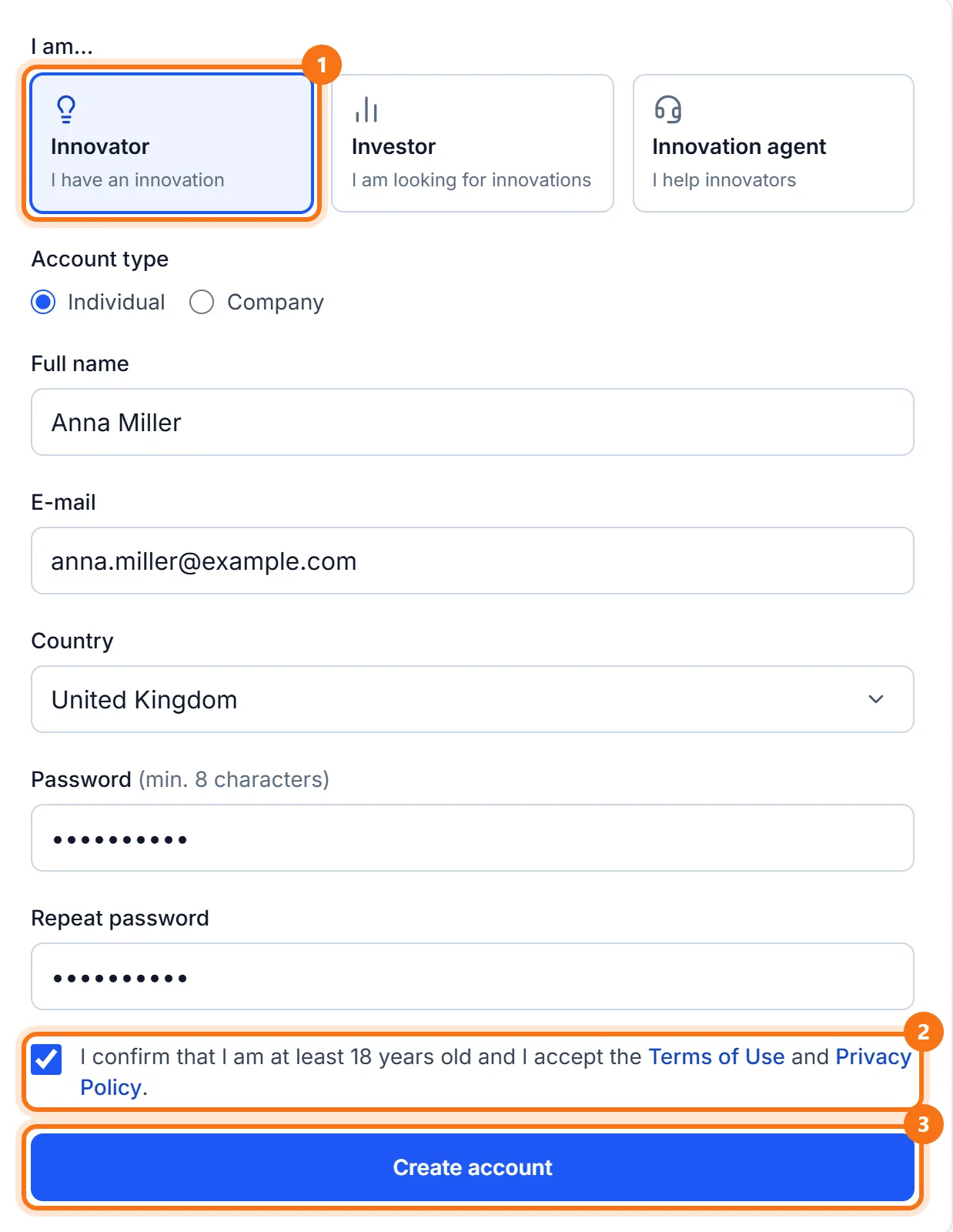
Choose "Innovator" and fill in the form
Enter your name (or company), e-mail, country and a password of at least 8 characters. Tick the box confirming you are 18+ and accept the terms, then click "Create account".
- 3
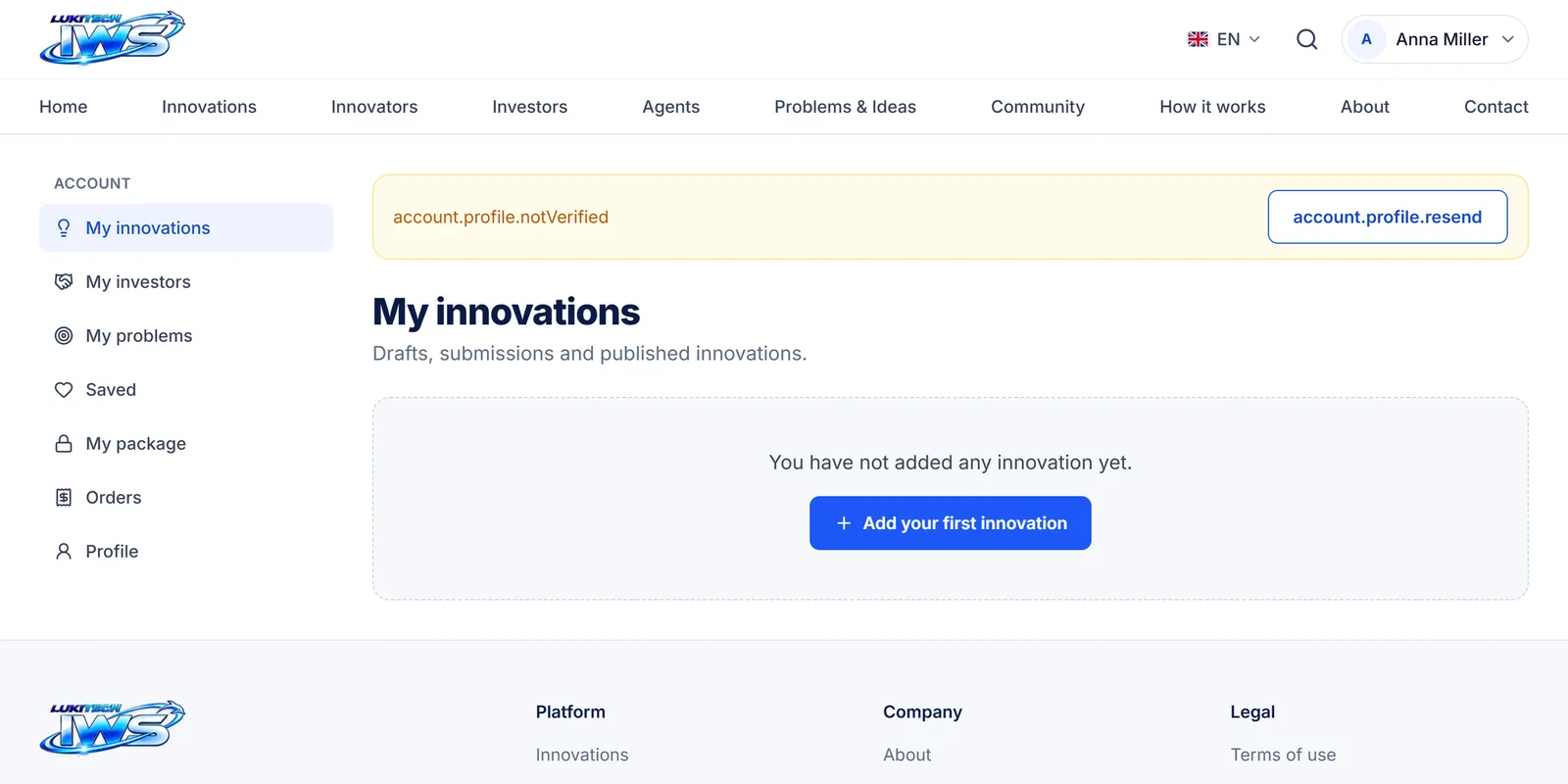
Confirm your e-mail address
LT-IWS sends you an e-mail with a confirmation link. Until you click it, your account shows a yellow notice.
- 4
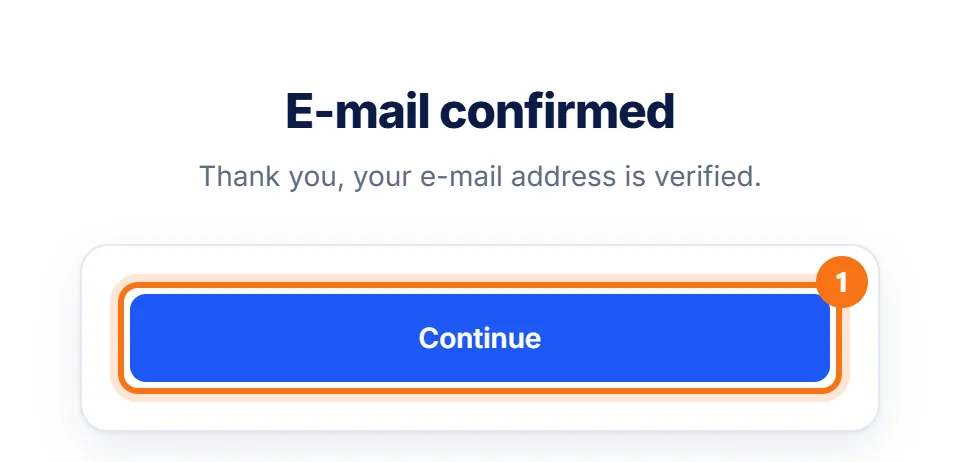
Click the link in the e-mail
The "E-mail confirmed" page opens. Click "Continue".
- 5
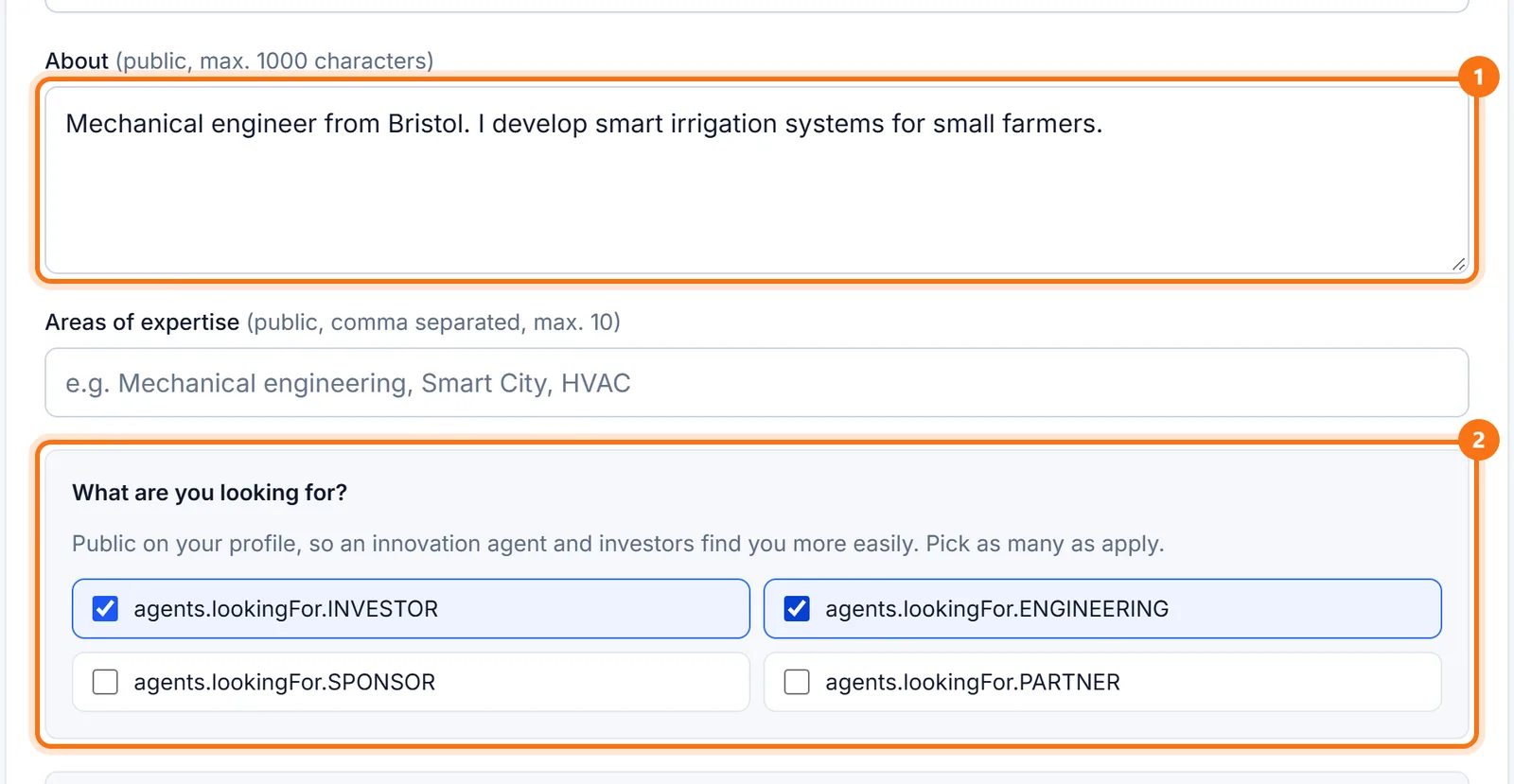
Complete your profile
In the account menu click "Profile". Write a few sentences about yourself and tick what you are looking for (investor, engineering help, sponsor, partner). At the bottom of the page click "Save profile". Phone and website are shown only to members who have unlocked you.
- 6
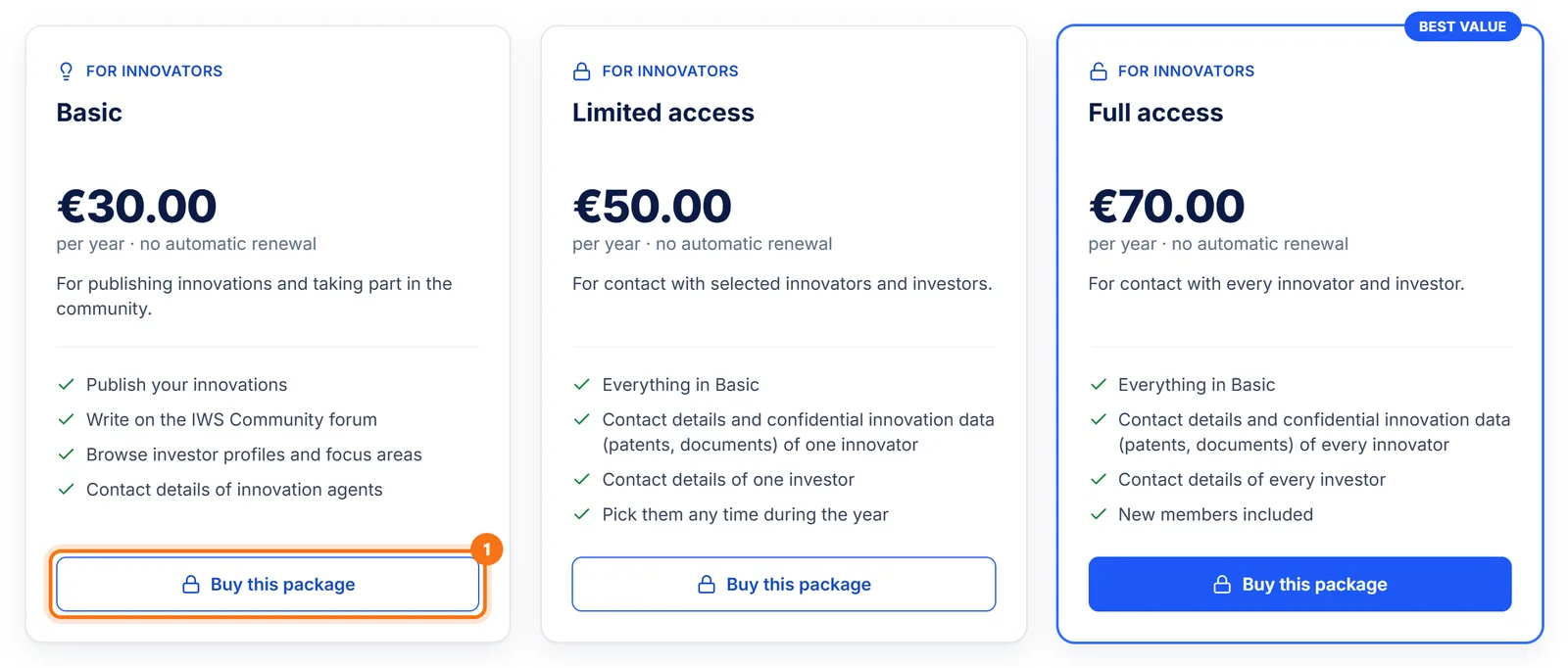
Choose a package
In the account menu click "My package" → "Choose a package" (the packages are also linked from "How it works"). Basic (€30.00) is enough to publish innovations. Limited (€50.00) and Full (€70.00) also unlock other innovators' and investors' contacts. Click "Buy this package".
- 7
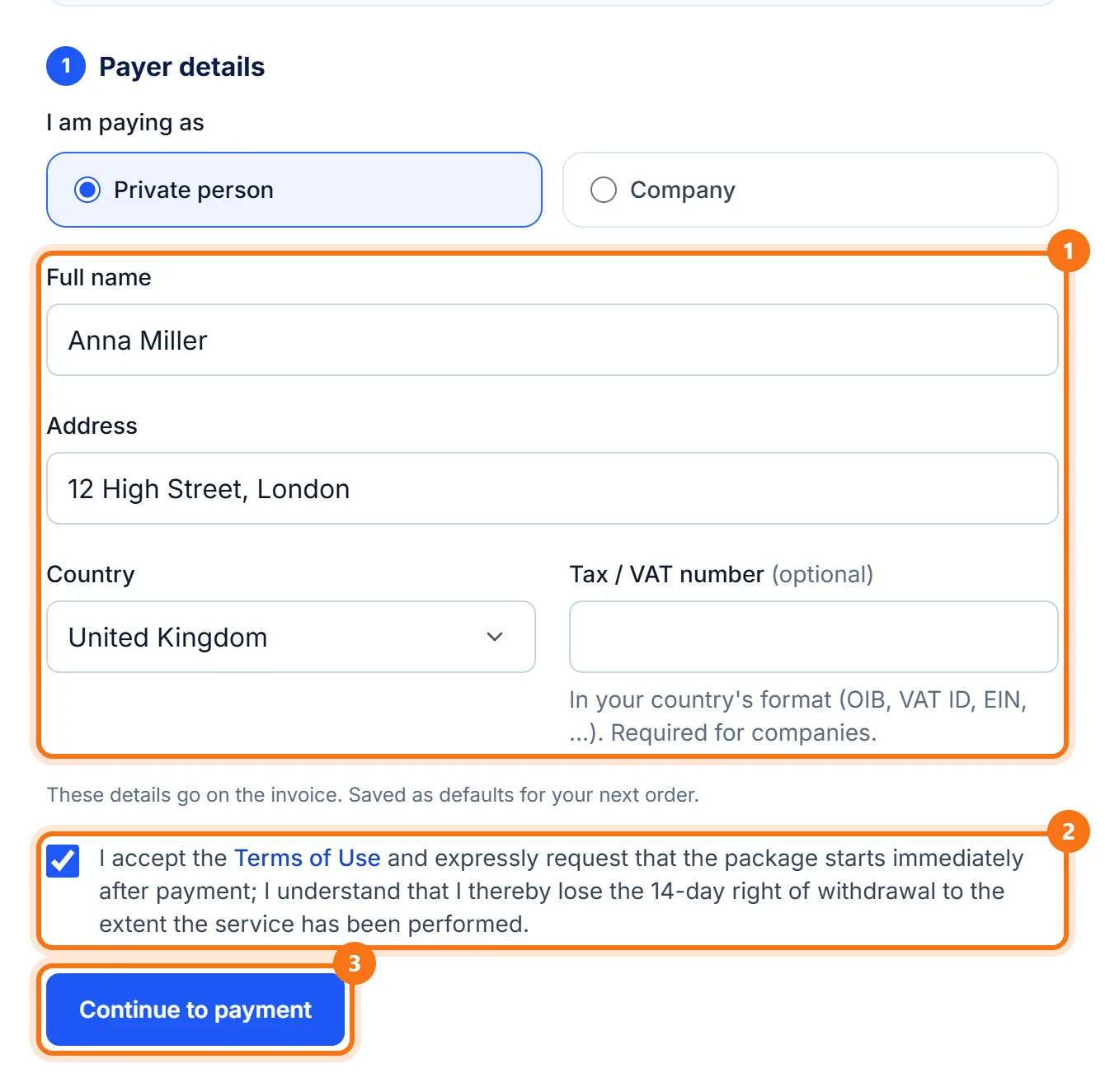
Enter the invoice details
Name or company, address and country go on the invoice (1). Tick the terms box (2) and click "Continue to payment" (3).
- 8
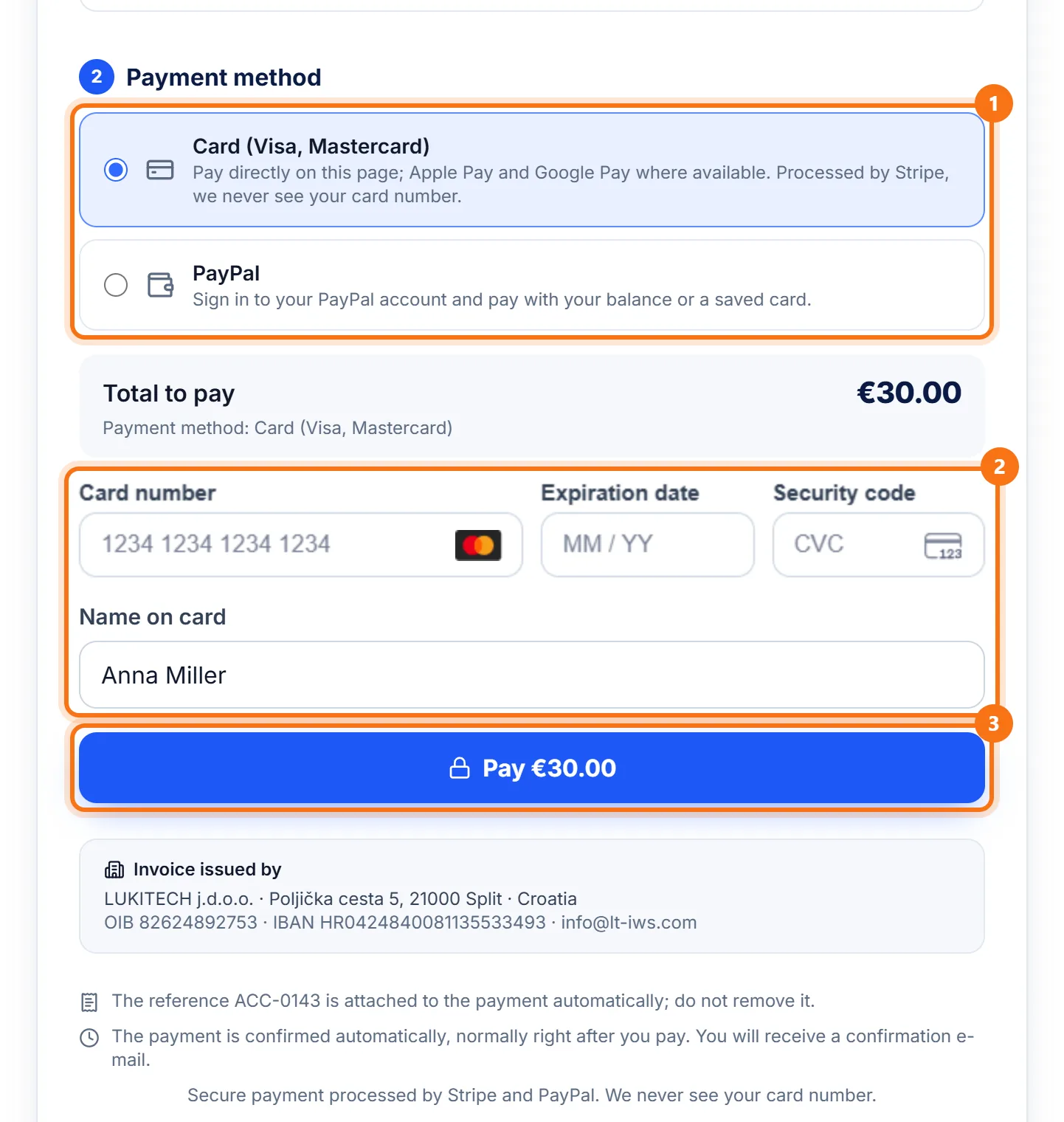
Pay by card or PayPal
Choose the payment method (1). For a card, enter the number, expiry date, security code (three digits on the back) and the name on the card (2), then click "Pay" (3). For PayPal, choose PayPal and sign in to your PayPal account. Payment is protected and we never see your card number.
- 9
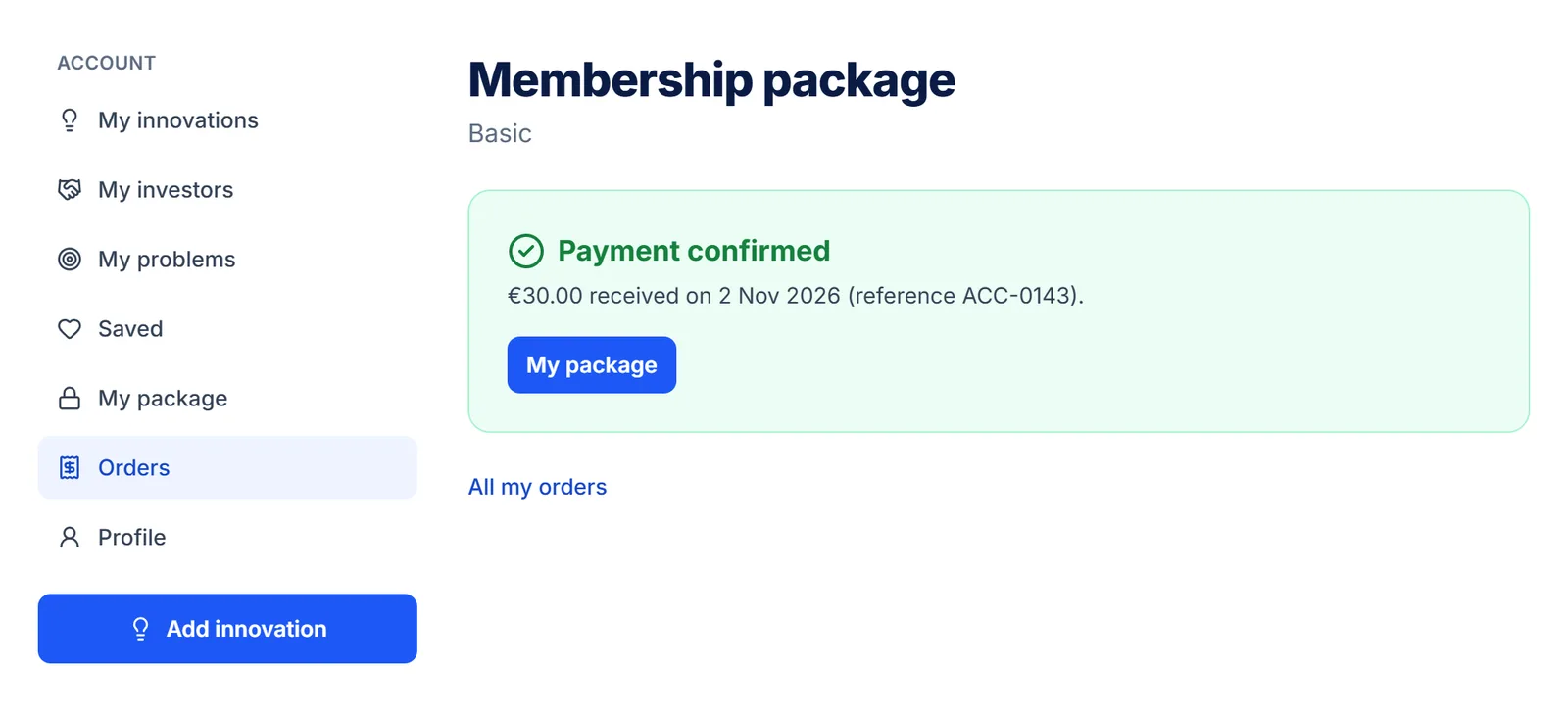
Payment confirmed
After paying you see a green confirmation and receive an e-mail. The package is valid for one year.
- 10
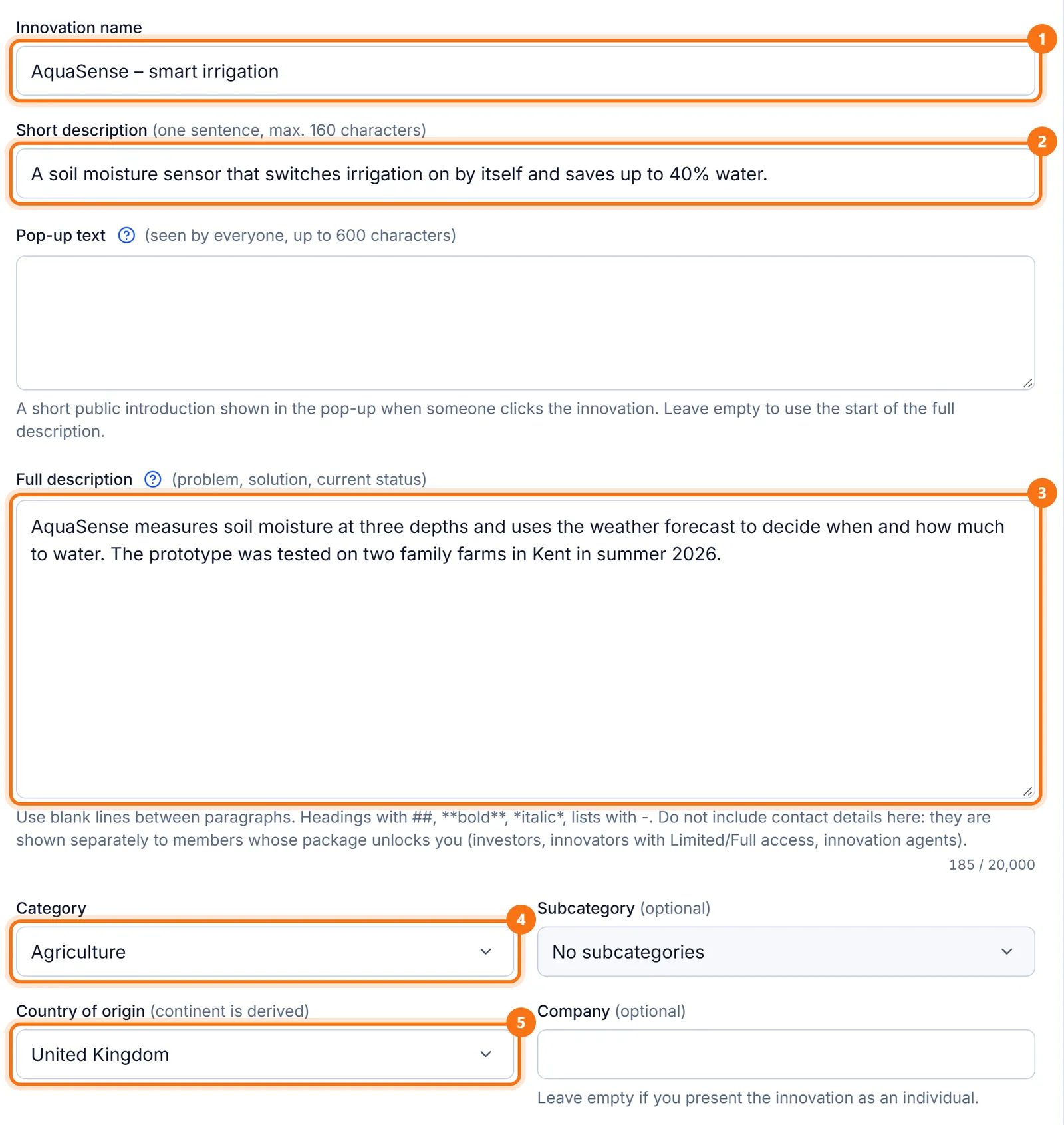
Add your innovation
Click "Add innovation". Enter the name, a short description (one sentence), the full description (problem, solution, current status), the category and the country. Do not put contact details in the description.
- 11
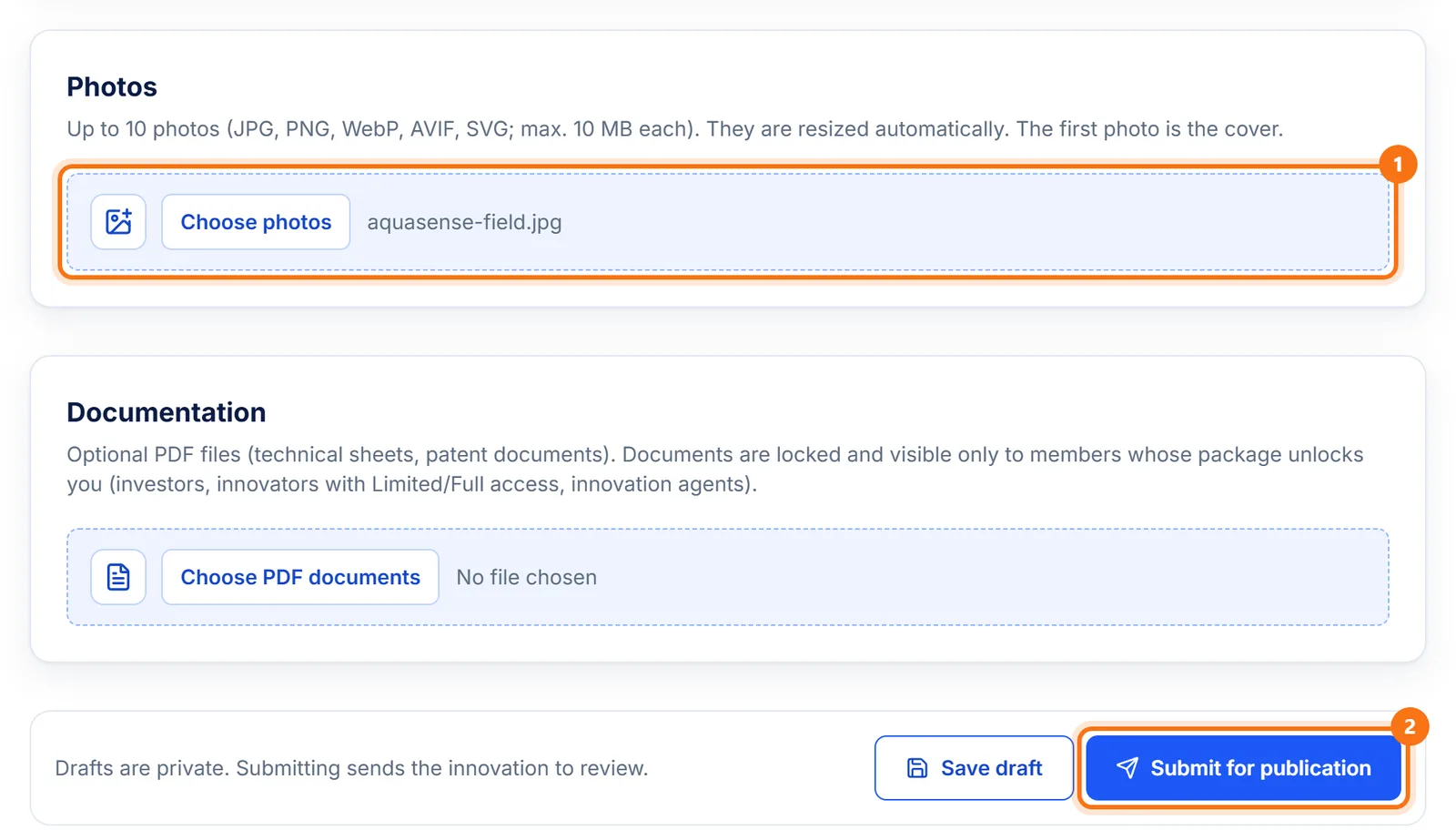
Add photos and submit
Add up to 10 photos (the first is the cover) and, if you like, PDF documents. Medals, patents and a video can be added in the same form. Click "Submit for publication". "Save draft" saves it without submitting.
- 12
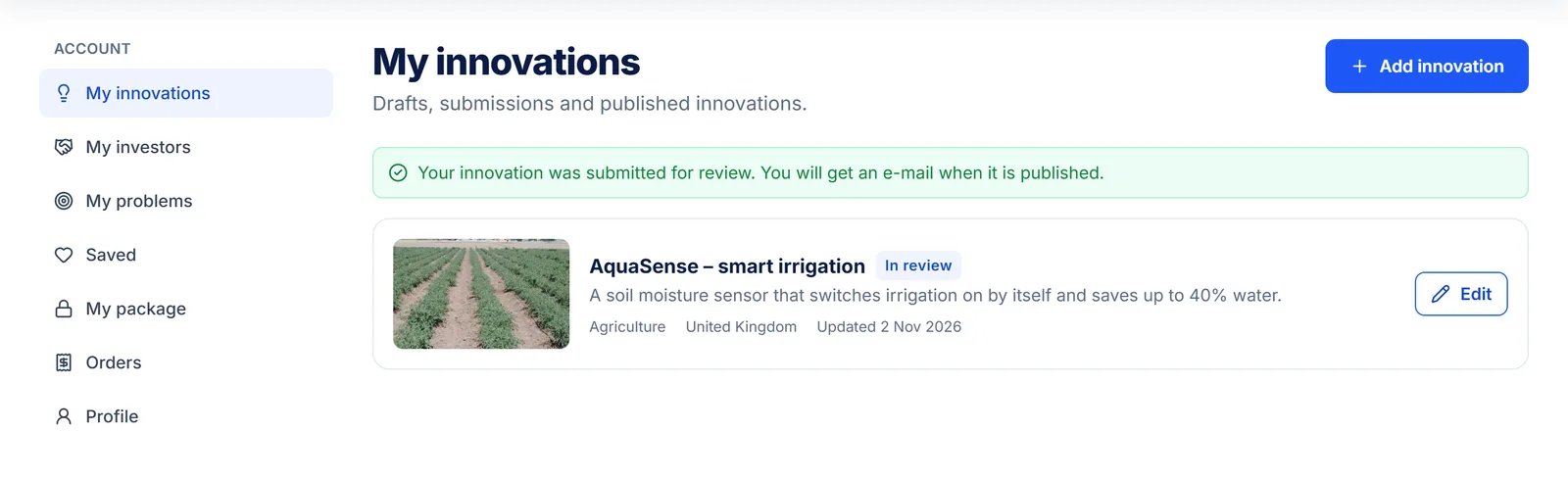
Wait for approval
The LT-IWS team reviews and publishes the innovation. While it waits, it is marked "In review". You get an e-mail when it is published.
How to become an investor
Investors browse innovations for free; a package unlocks the innovator's contact details, patents and documents: 1 innovator €30.00, 5 innovators €90.00 or all innovators €130.00 a year. Investors stay anonymous on the site (shown as "Investor #number").
- 1
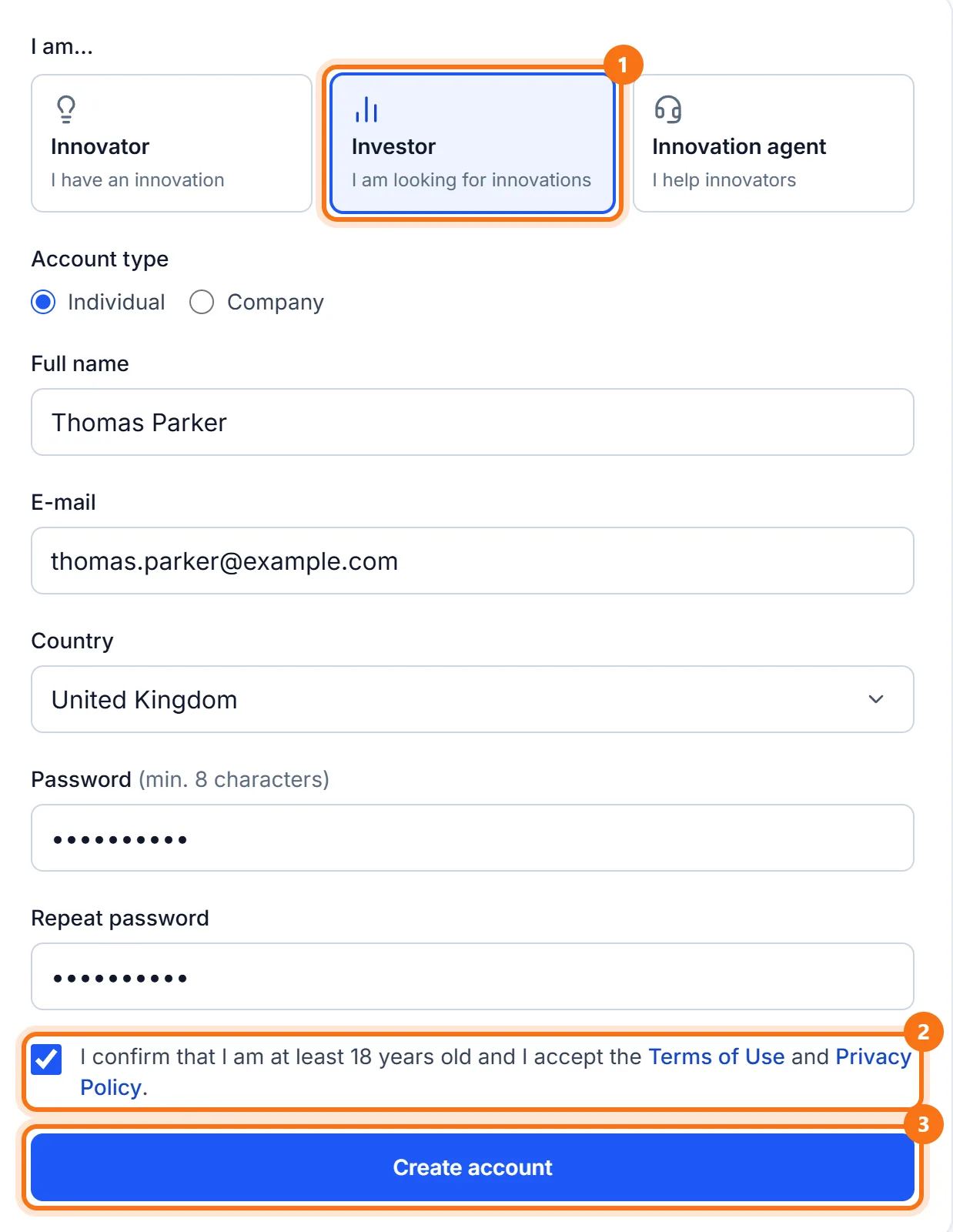
Sign up as "Investor"
Click "Sign Up", choose "Investor" and fill in the form as shown. Then confirm your e-mail with the link we send you (same as for innovators, steps 3 and 4).
- 2
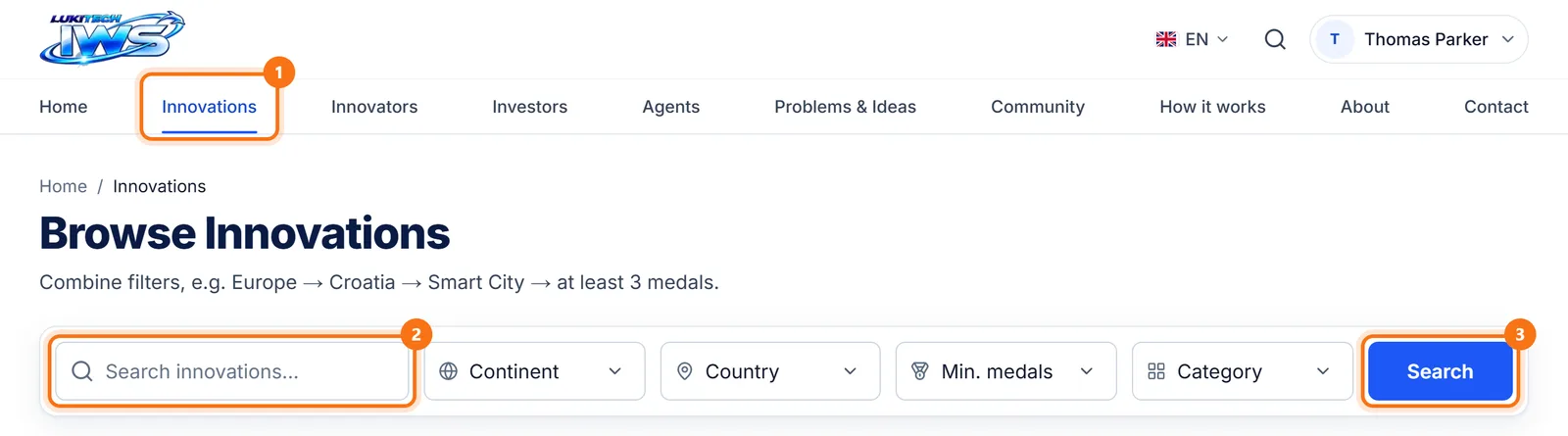
Browse innovations
In the menu click "Innovations". Type a keyword or choose filters (continent, country, number of medals, category) and click "Search".
- 3
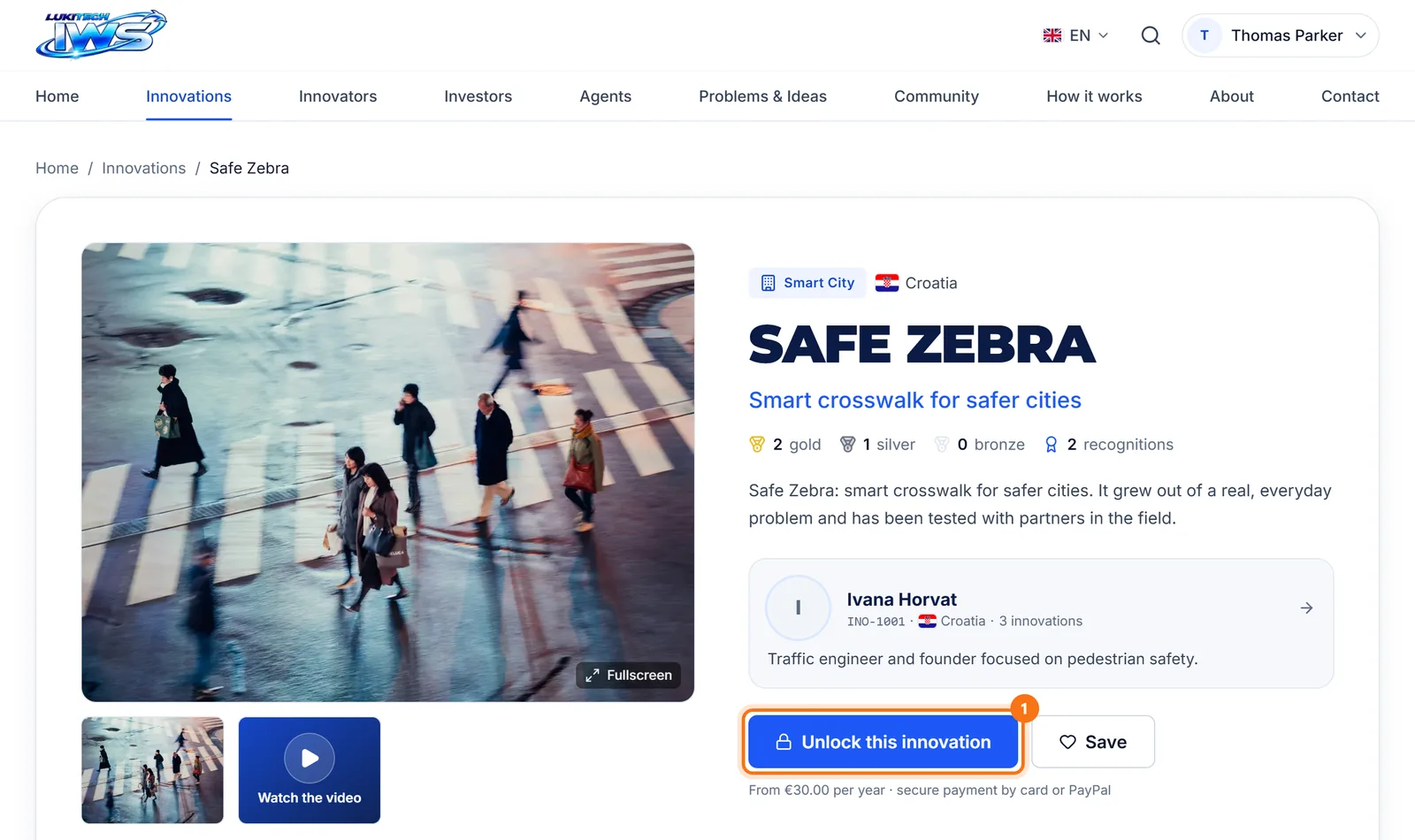
Open an innovation you like
You see the photos, description, medals and the innovator. For contact details and confidential data click "Unlock this innovation".
- 4
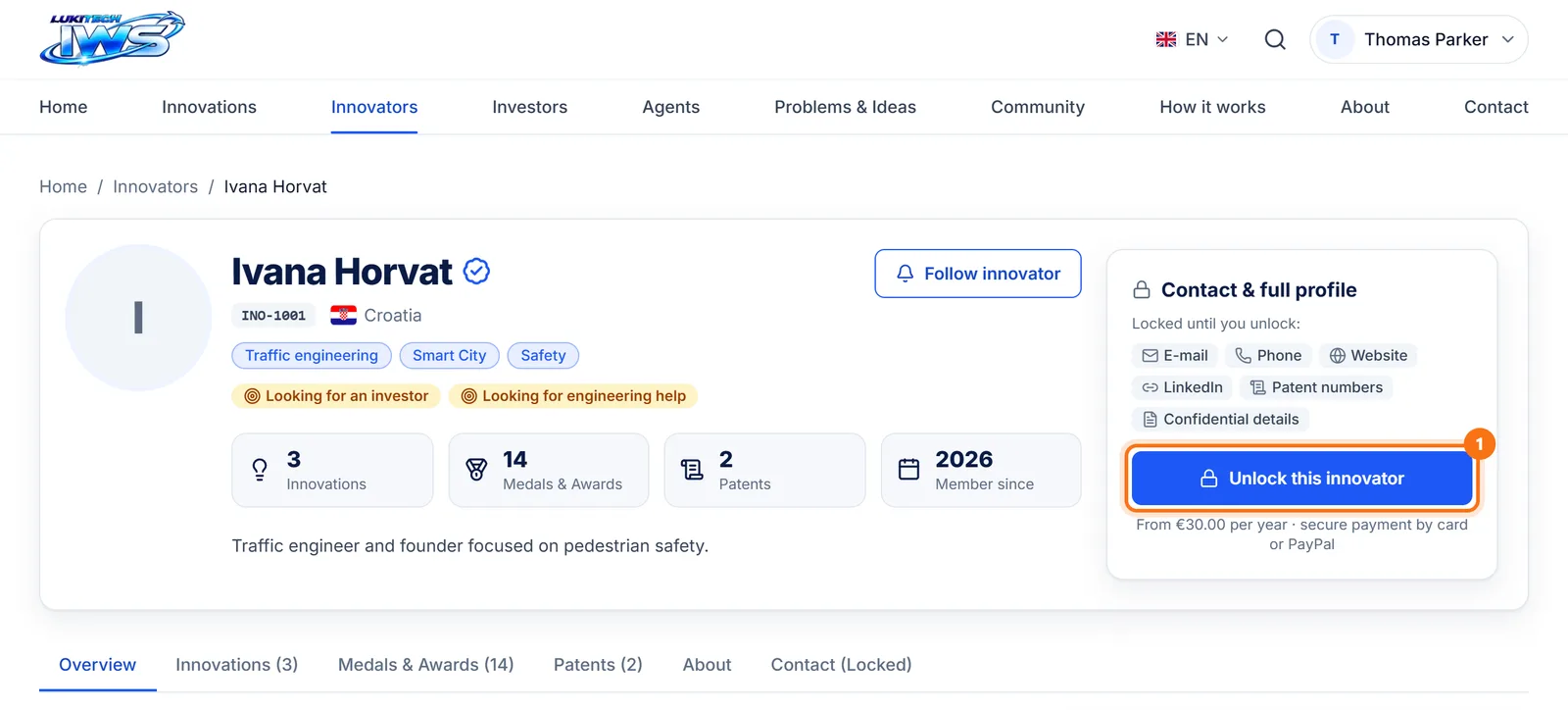
Or unlock the innovator on their profile
On the innovator's profile (click their name), the "Unlock this innovator" button leads to the packages with that innovator already selected.
- 5
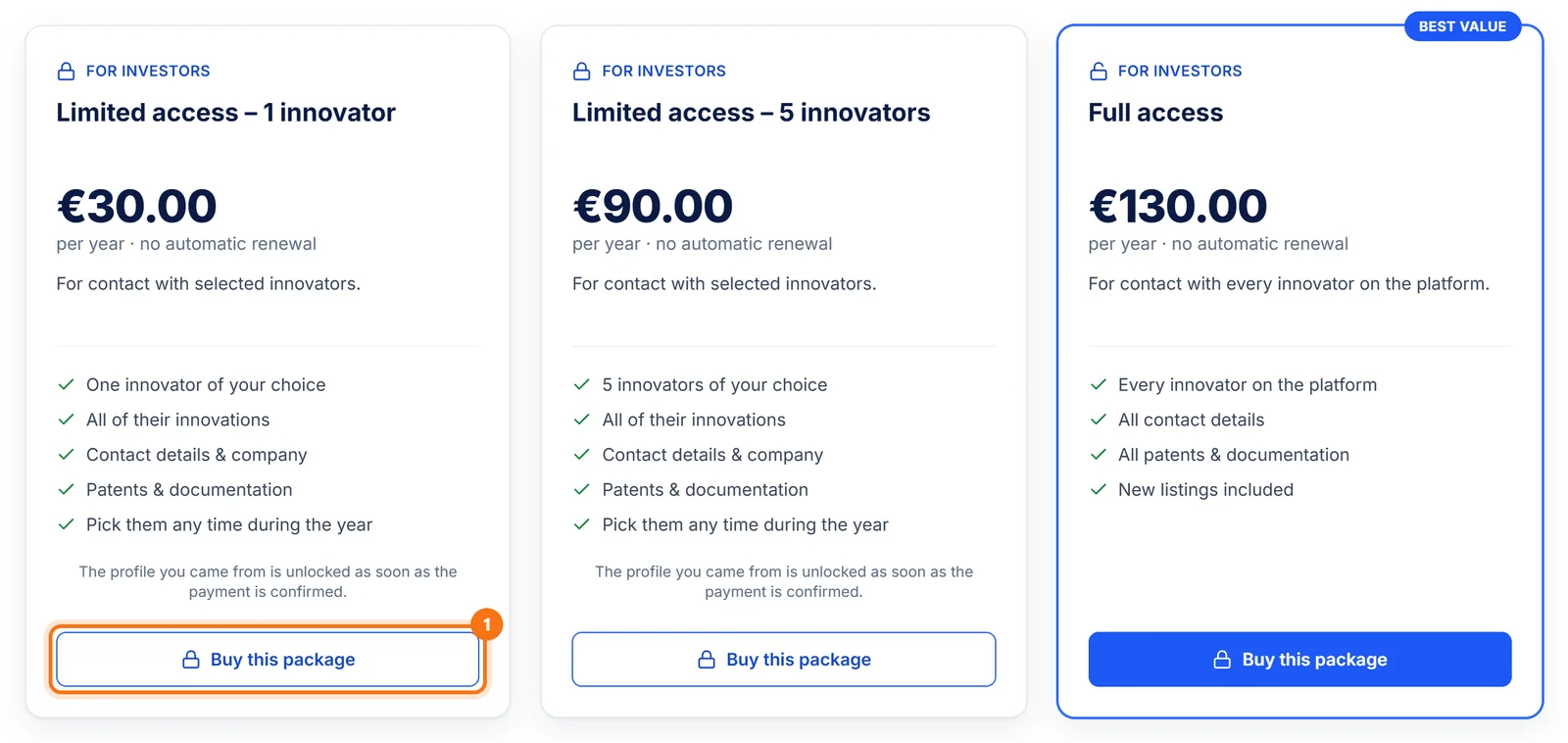
Choose a package
For one innovator "Limited access – 1 innovator" is enough; for more, choose the 5‑innovator package or "Full access". Click "Buy this package".
- 6
Pay
Enter the invoice details and pay by card or PayPal, the same as innovators (steps 7 and 8).
- 7
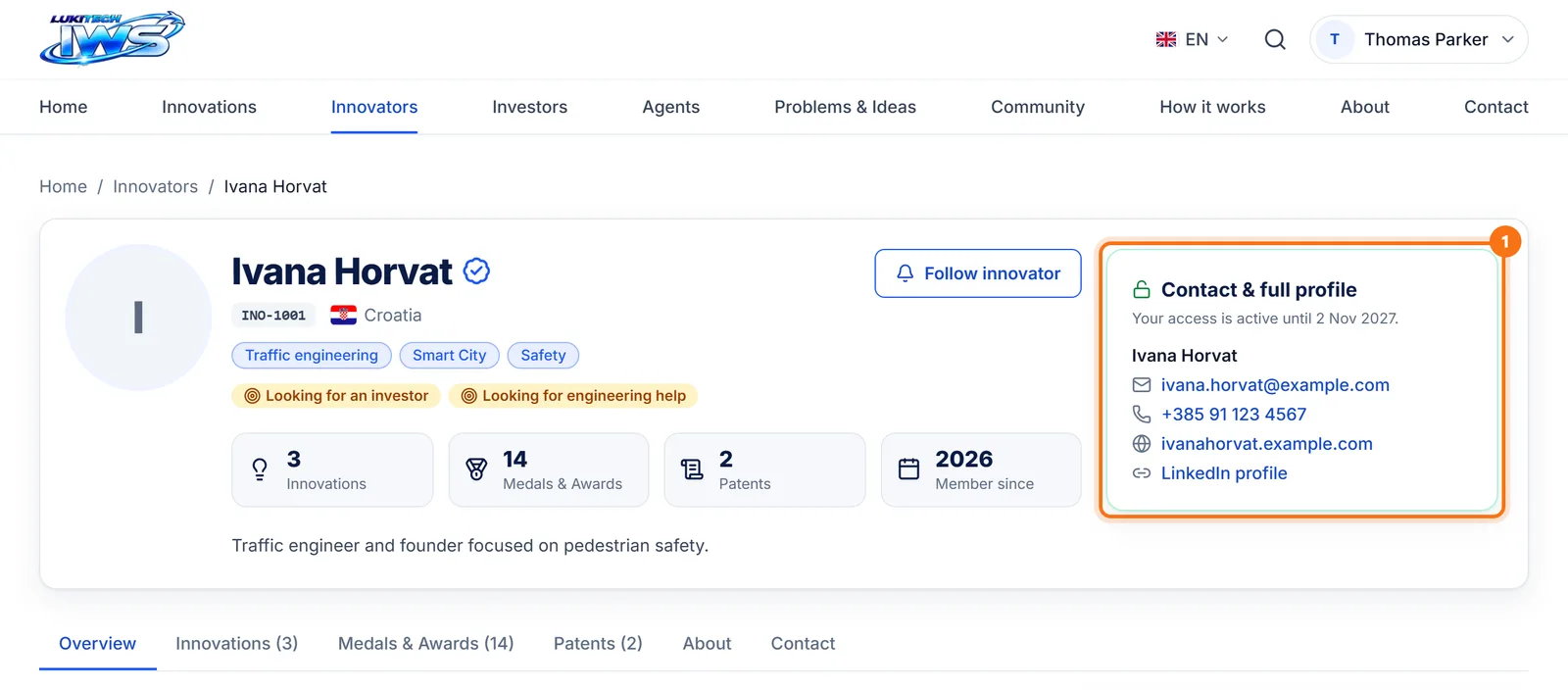
The contact is unlocked
The innovator's profile now shows e-mail, phone, website and LinkedIn. Contact them directly. The innovator is notified too and sees your contact details.
- 8
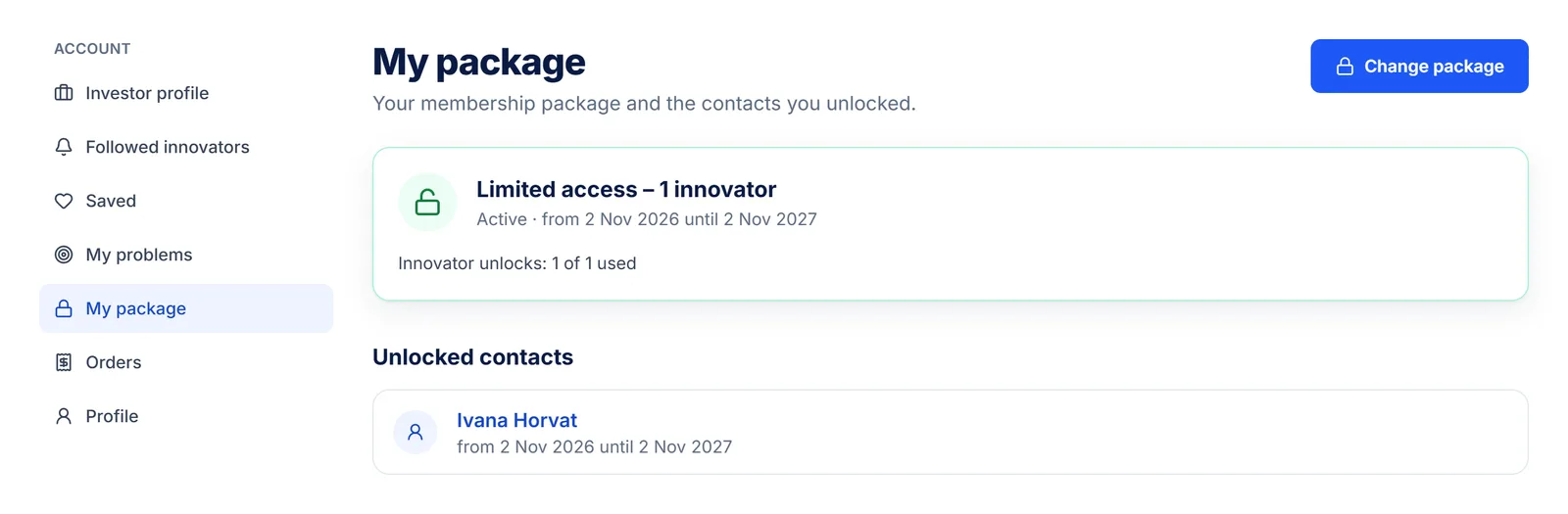
My package
"My package" shows how many unlocks you have used and the contacts you unlocked. With the 5‑innovator package you pick the others whenever you like: click "Unlock now" on an innovator's profile.
How to become an innovation agent
Agents help innovators by finding engineers, manufacturers, investors and fairs. Agents cannot open an account themselves: they send an application and, after a conversation, the LT-IWS team opens an account with an @lt-iws.com e‑mail address.
- 1
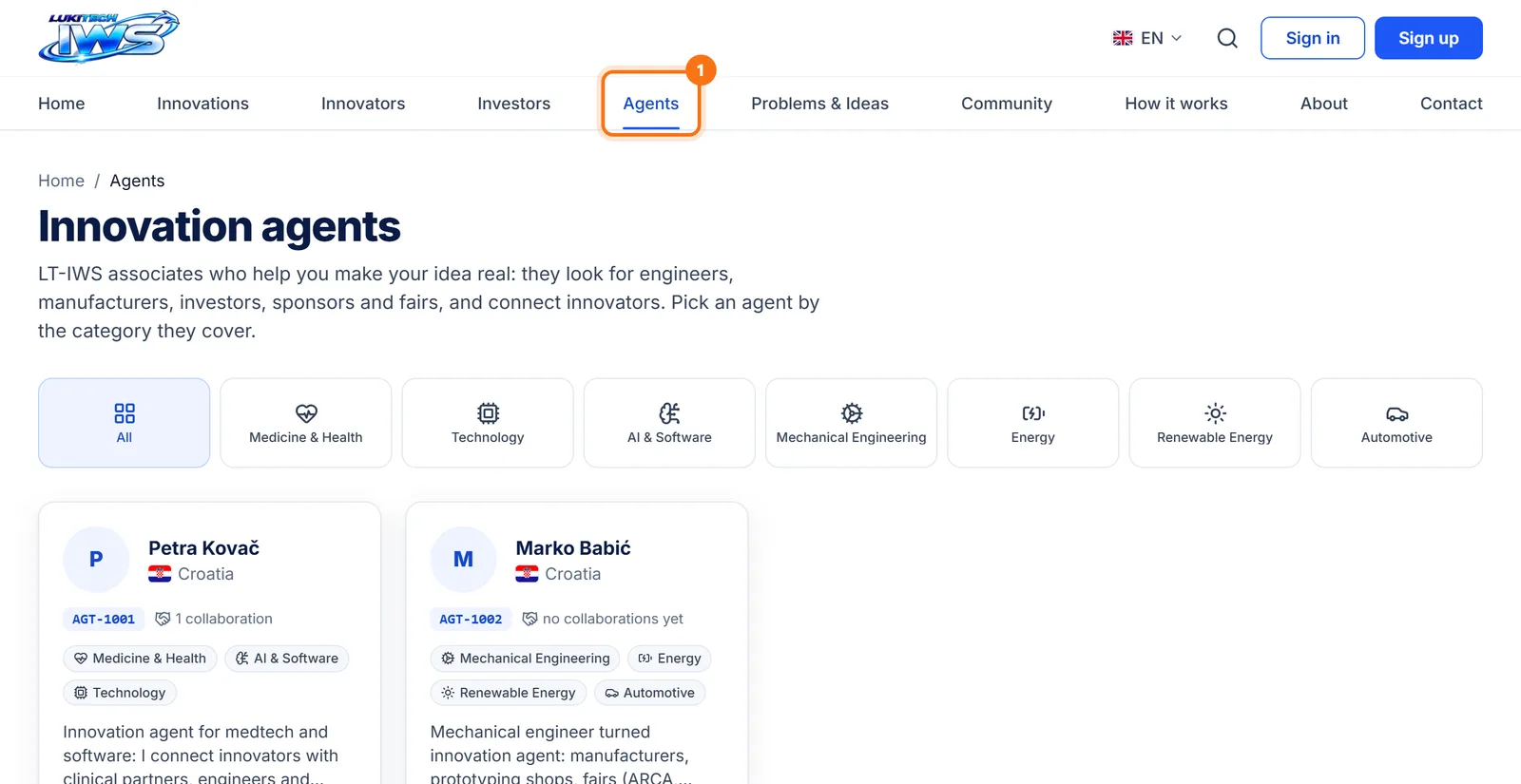
Look at the current agents
In the menu click "Agents". You see the agents, their IDs (AGT-number) and the fields they cover.
- 2
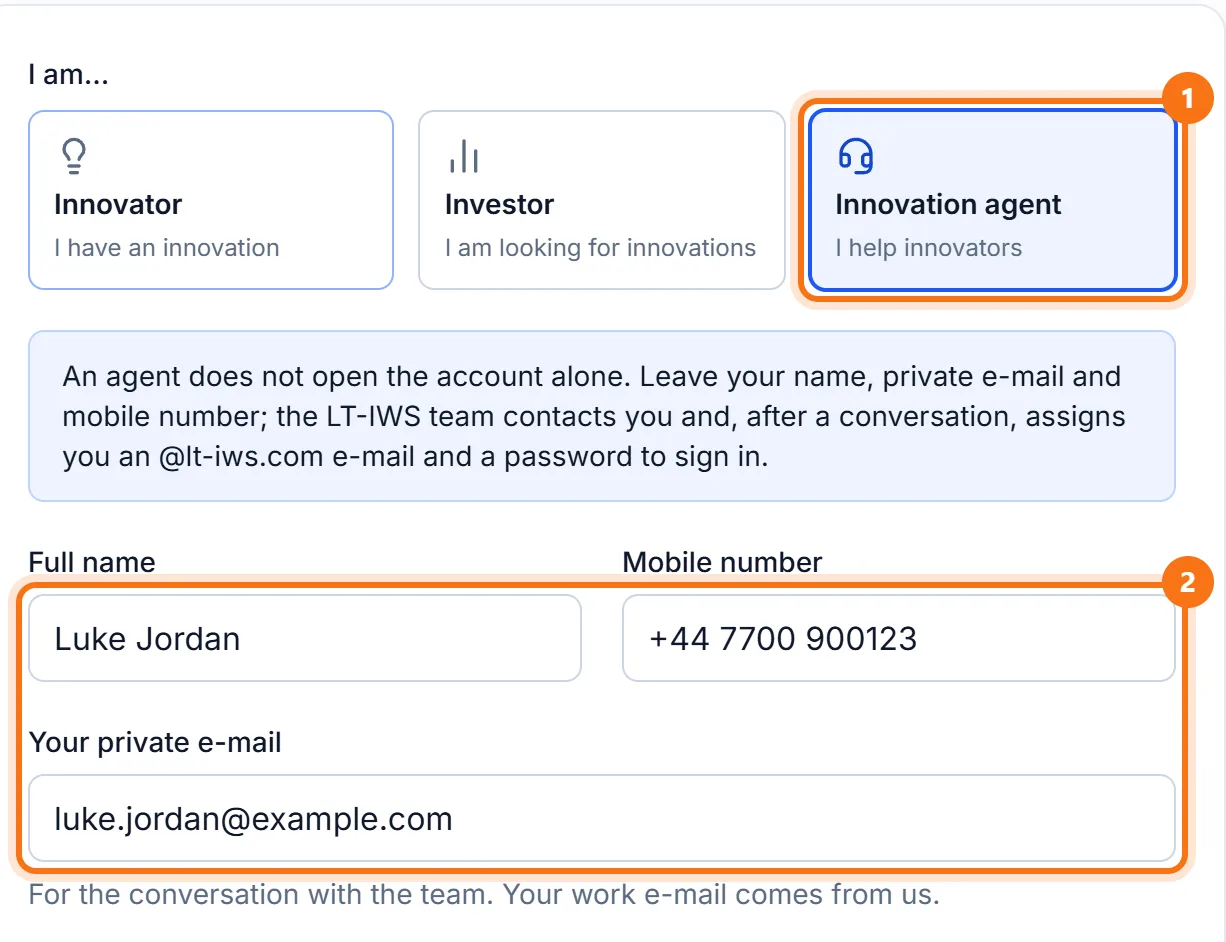
Choose "Innovation agent" and enter your details
Click "Sign Up" and choose "Innovation agent". Enter your name, mobile number and private e-mail.
- 3
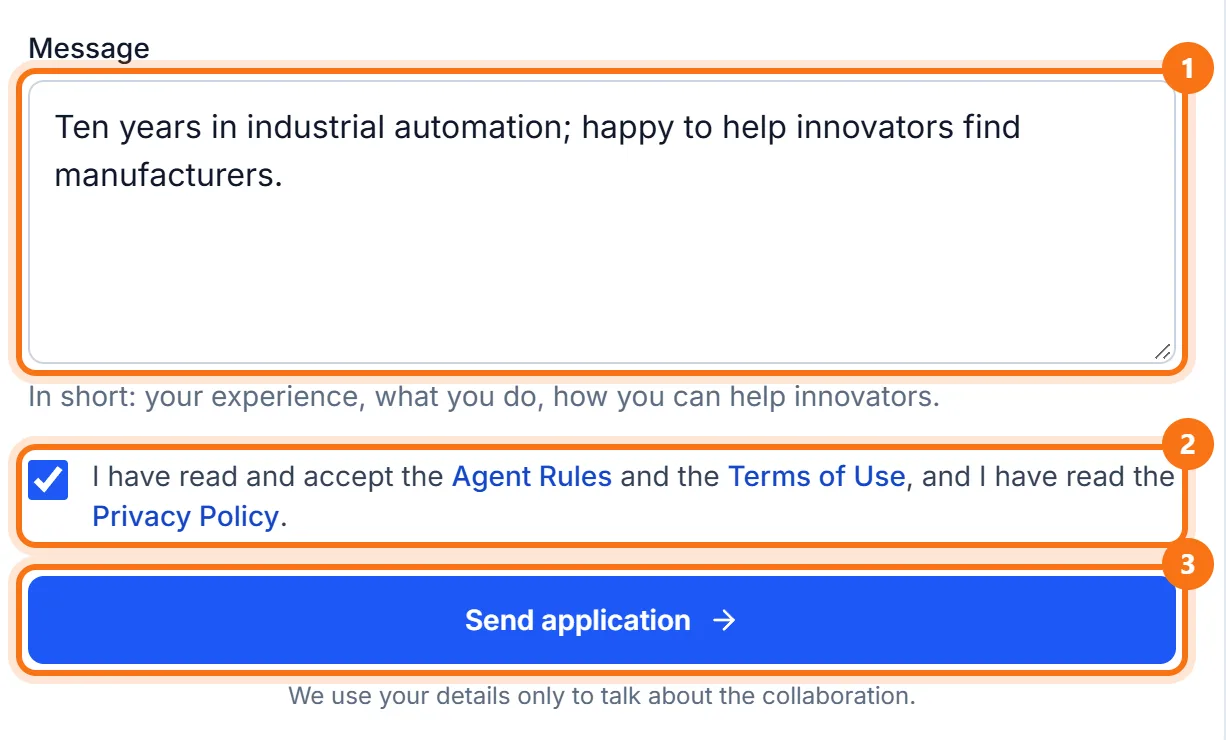
Tick your fields and send the application
Below your details, tick the categories you cover (not shown in the picture). Write a short message about yourself, accept the Agent Rules and click "Send application".
- 4
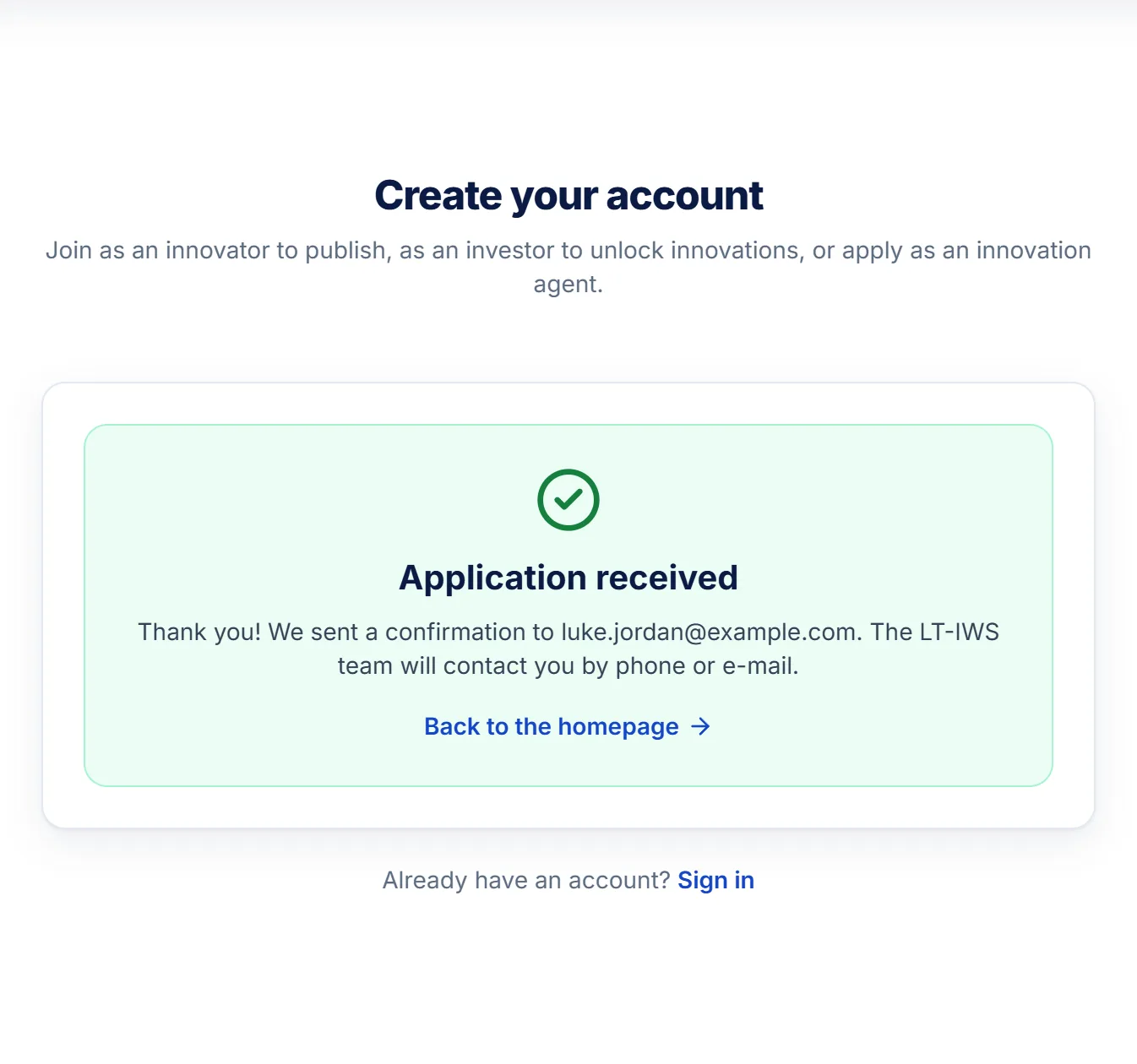
Application received
The LT-IWS team contacts you. After the conversation they open your account, send your login address ([email protected]) to your private e-mail address and give you a temporary password.
- 5
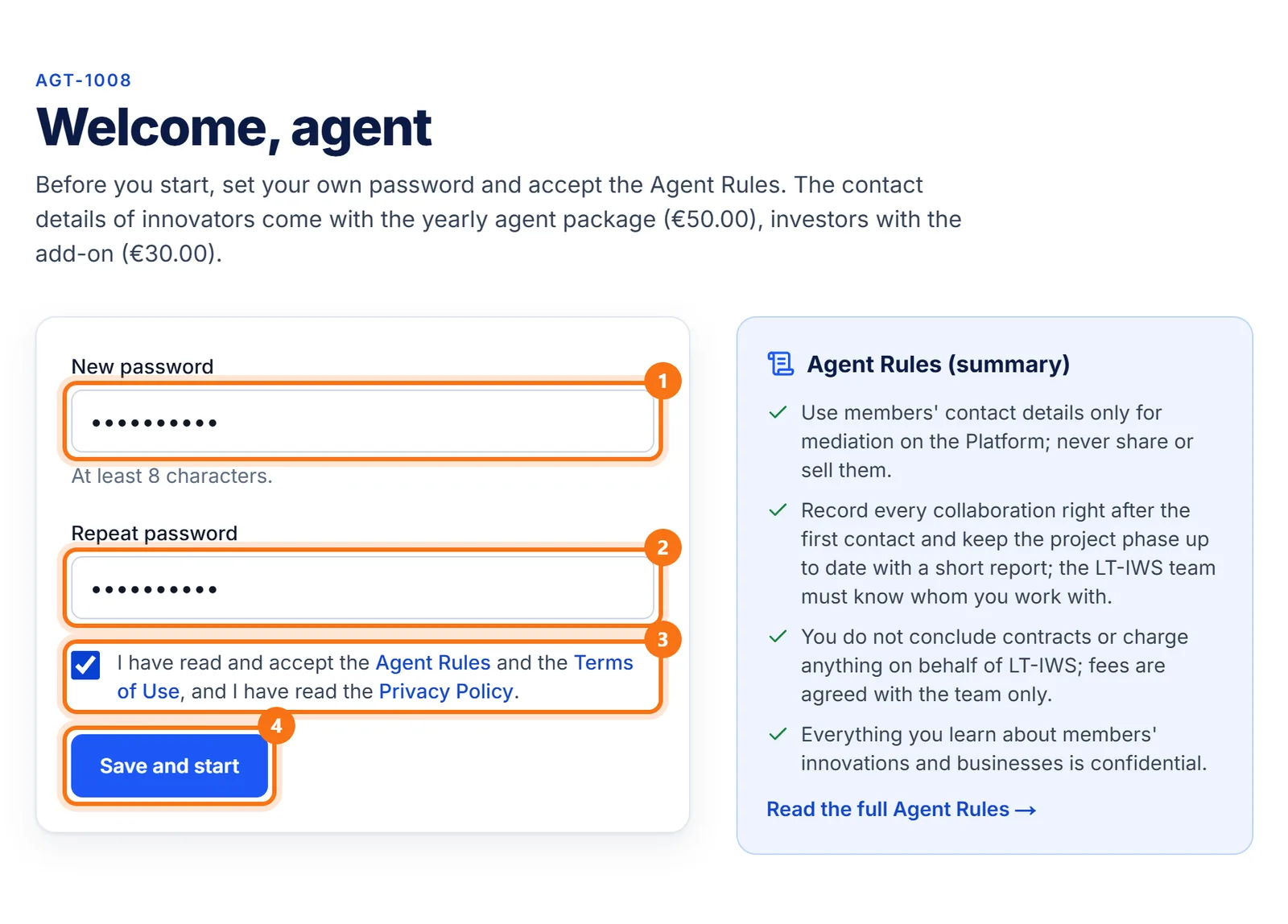
First sign-in
Sign in with the @lt-iws.com address and the temporary password. Set your own password, accept the Agent Rules and click "Save and start".
- 6
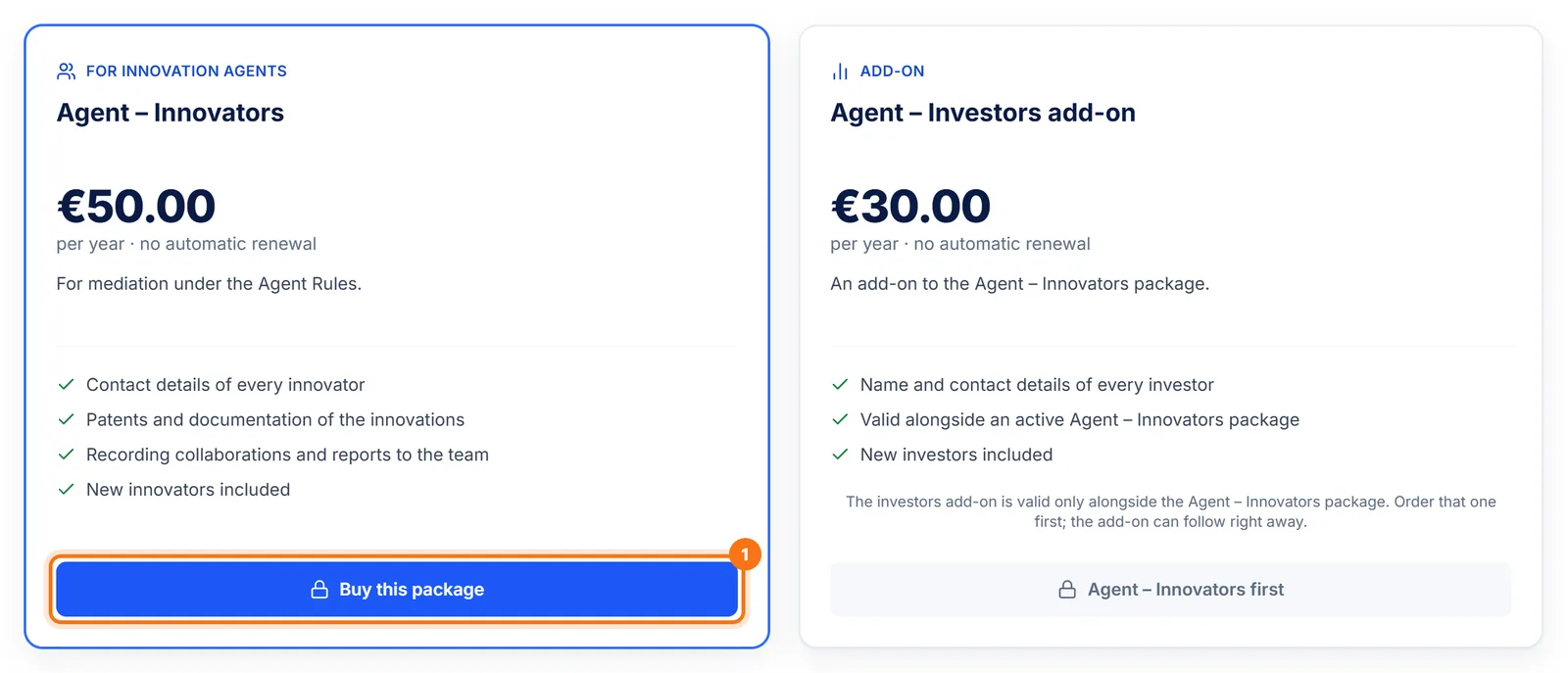
Pay for the agent package
Agent – Innovators (€50.00 a year) unlocks the contact details of every innovator; the Investors add-on (€30.00) unlocks investors too. Paying works the same as for innovators.
- 7
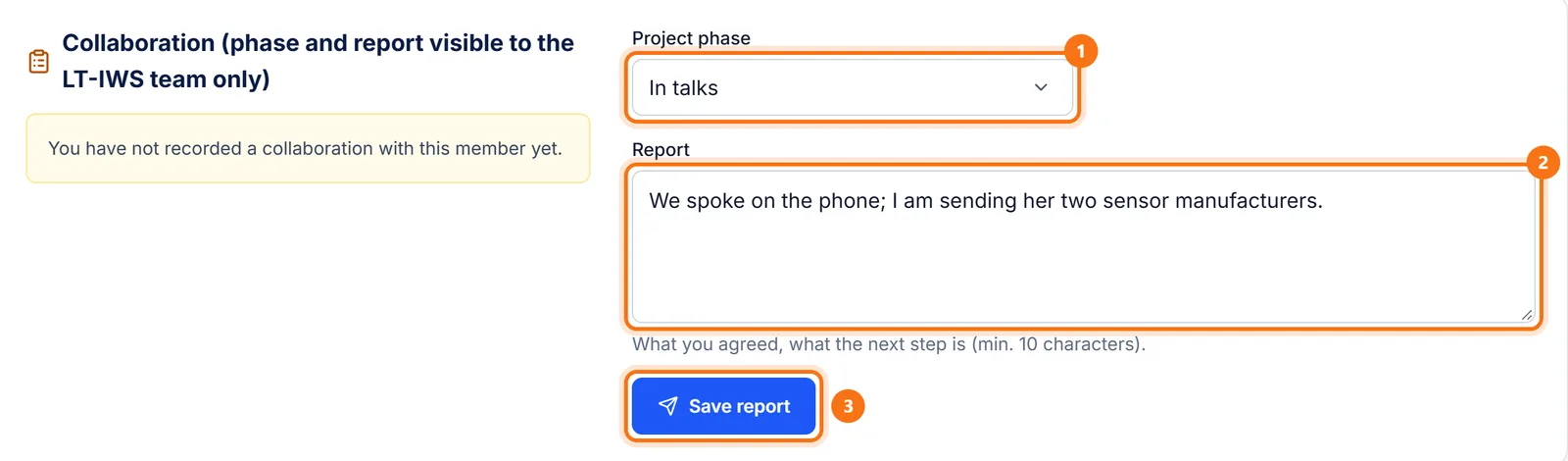
Record every collaboration
When you contact an innovator or investor, use the "Collaboration" box on their profile: choose the project phase, write a short report and click "Save report". This is how the LT-IWS team knows whom you work with.
- 8
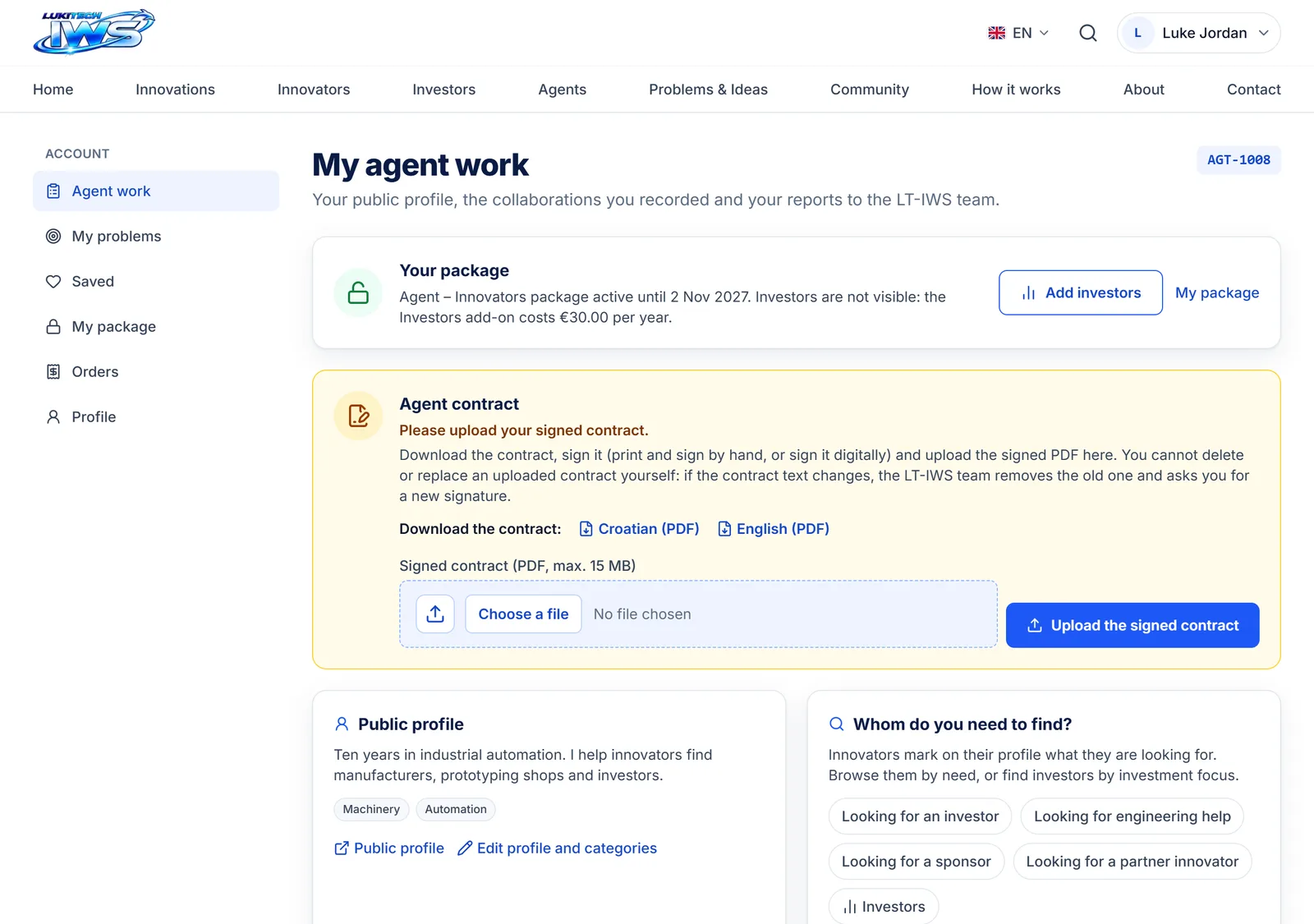
My agent work
The "Agent work" page shows your package, your public profile and links to innovators looking for an investor, engineering help, a sponsor or a partner. Further down the same page are the collaboration form and all your collaborations with their reports.
How to become a sponsor
Sponsors support the platform with an amount of their choice; the sponsor's name (and logo) is shown in the site footer. No account is needed.
- 1
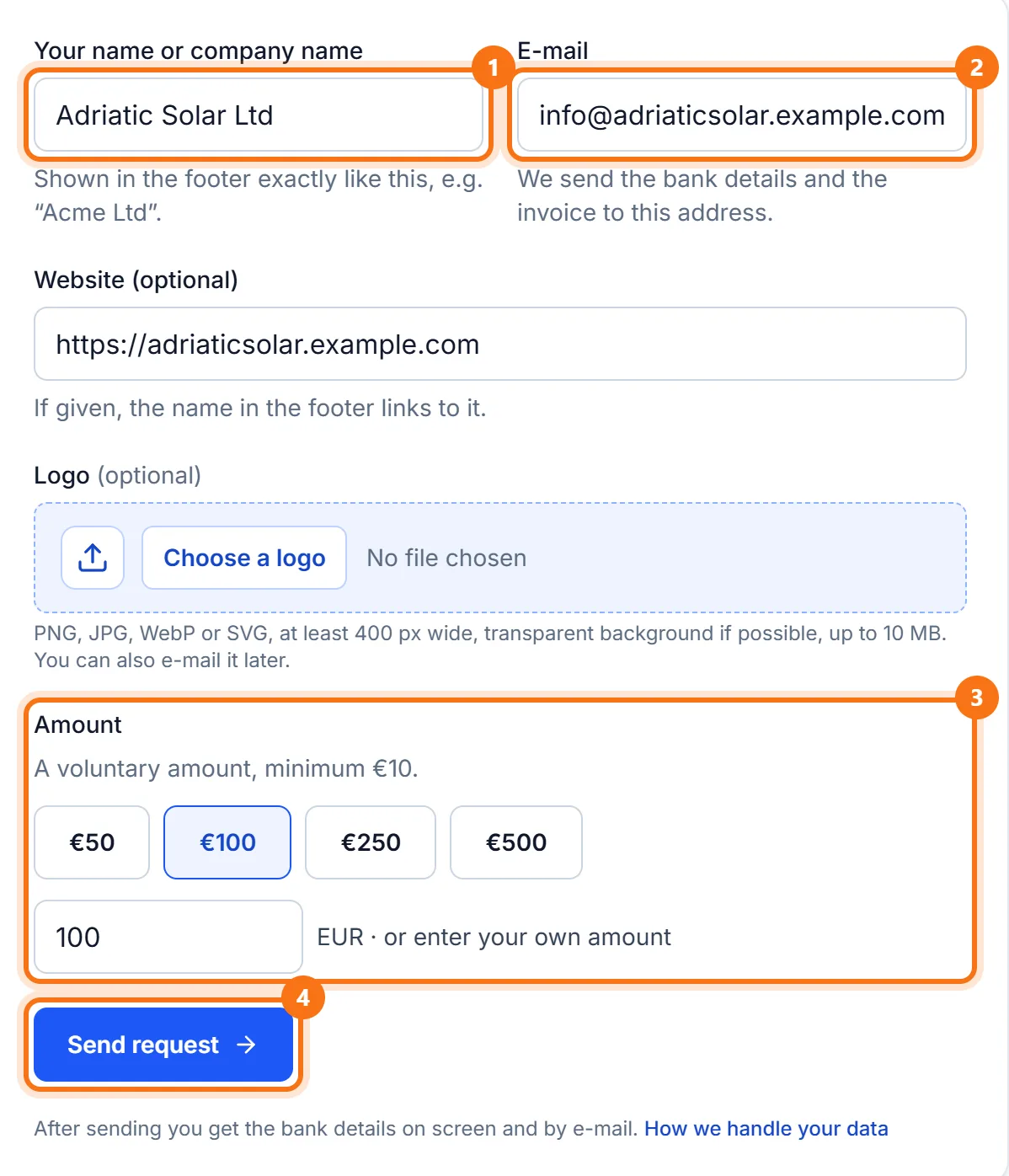
Fill in the sponsor form
Click "Become a sponsor" in the footer. Enter your name or company, e-mail, optionally a website and logo, choose an amount (or type your own, at least €10) and click "Send request".
- 2
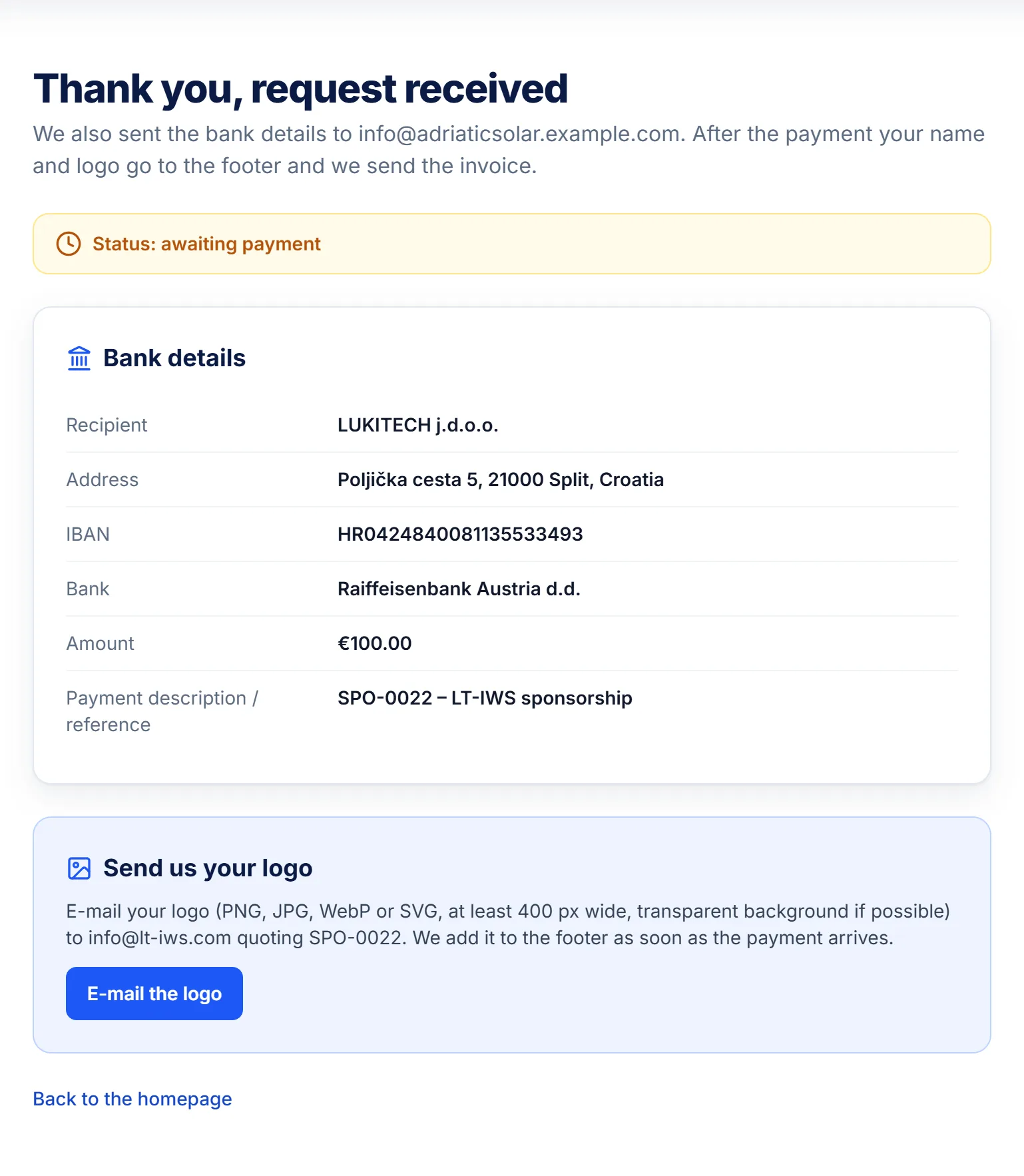
Pay by bank transfer
The page and an e-mail give you the payment details: recipient, IBAN, amount and reference. If you did not attach a logo, send it by e-mail. After payment we add the name and logo to the footer and send the invoice.
How members connect
There is no messaging on the platform: you see contact details once you unlock them with a package, then you get in touch directly by e-mail or phone.
- 1
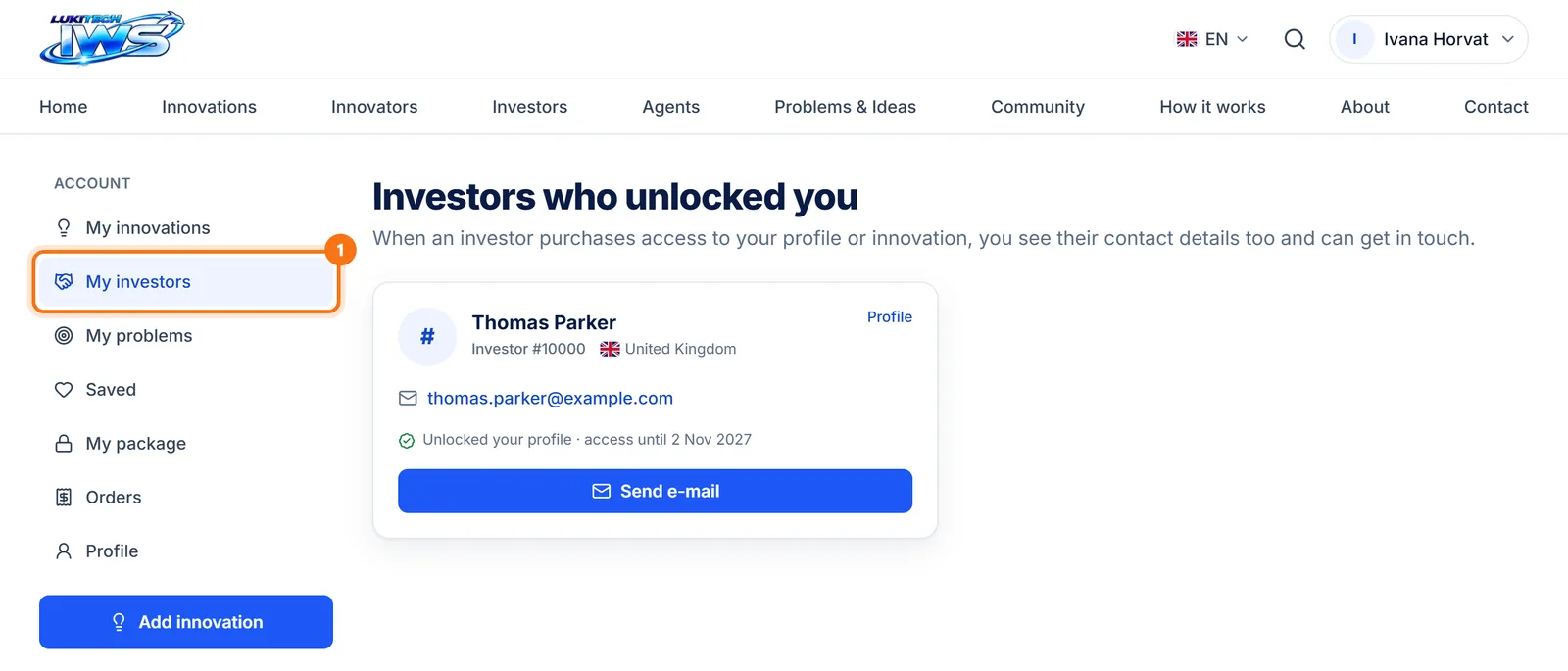
An investor unlocks an innovator: both see each other
When an investor unlocks your profile or innovation, you get an e-mail, and "My investors" in the account menu shows who it is and their contact details, so you can reach out too.
- 2
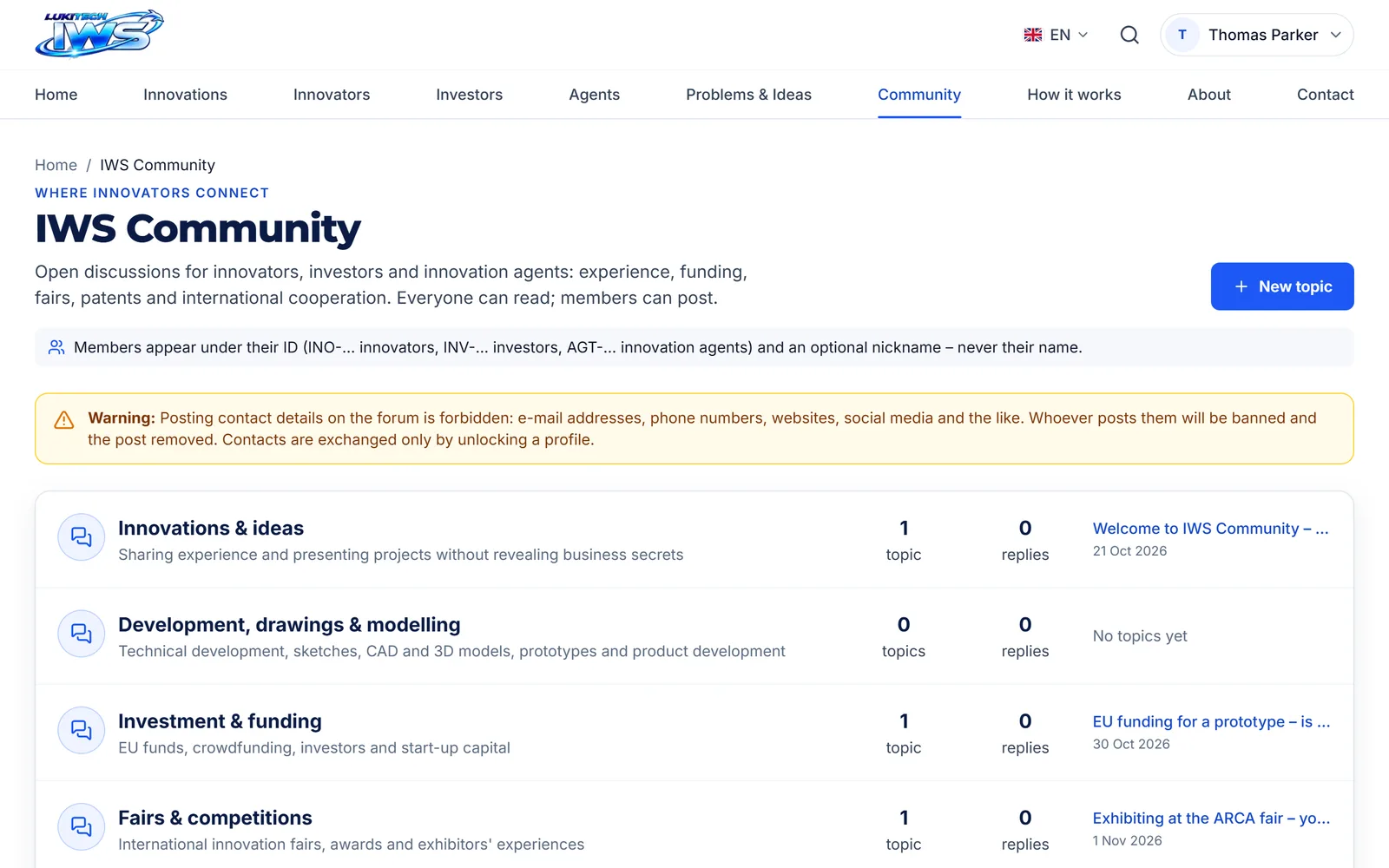
Community (forum)
On the IWS Community forum you can ask questions, give advice and offer collaboration. Members appear only by their ID (INO-…, INV-…, AGT-…) and an optional nickname, never by name. Do not post contact details on the forum: that leads to a ban.
- 3
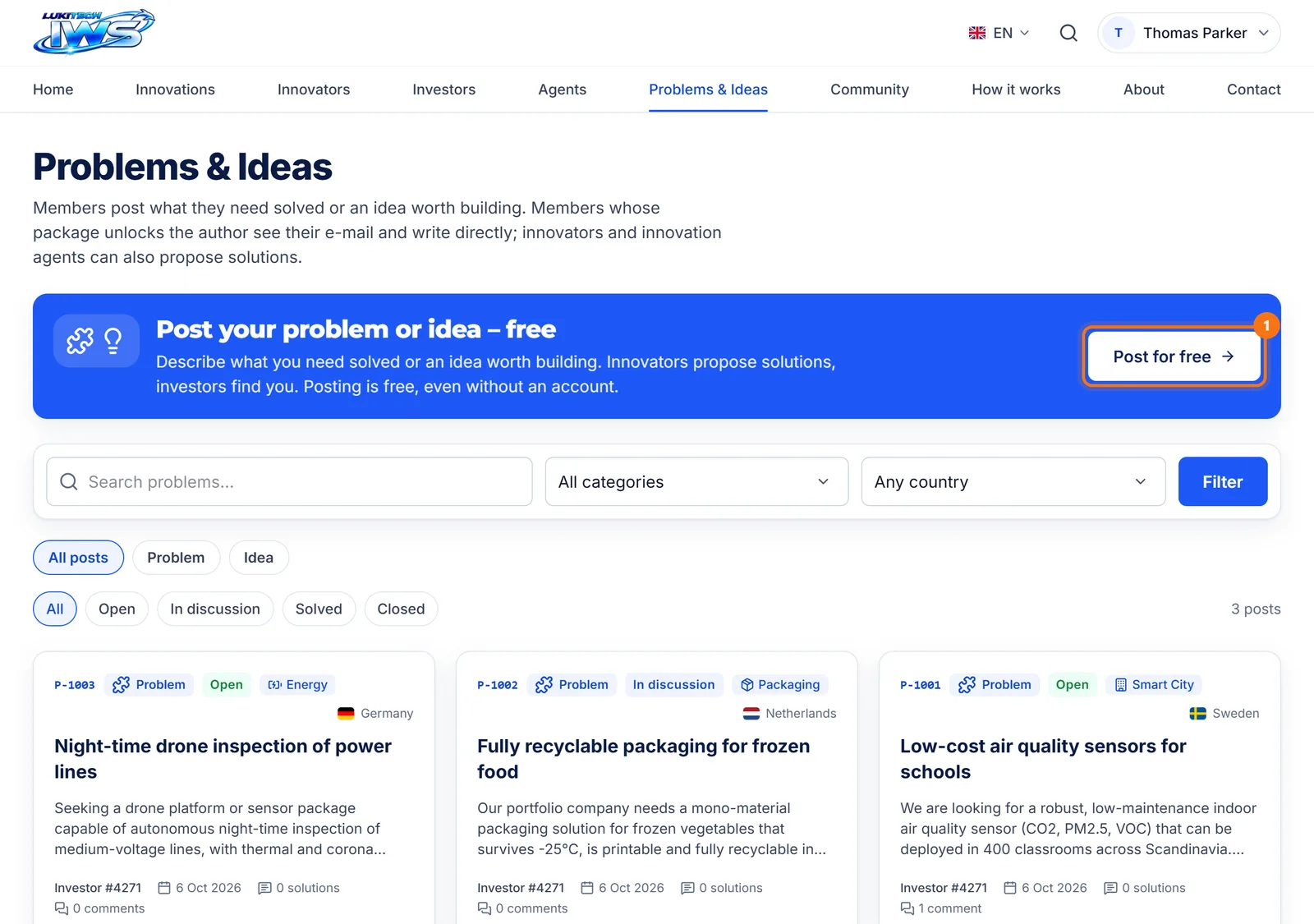
Problems & ideas
Anyone with a problem or idea can post it for free with "Post for free". Innovators and agents propose solutions and the author gets an e-mail. Posts are reviewed by the LT-IWS team.
- 4
Innovation agents
An agent can contact you and connect you with manufacturers, engineers or investors. You can reach an agent through their profile under "Agents".
If something does not work
- No confirmation e-mail? Check your Spam folder. You can ask for a new link with "Resend verification e-mail" in the yellow notice after signing in.
- Forgot your password? On the Sign In page click "Forgot password?", enter your e-mail and we will send you a link to set a new one.
- Packages are paid once a year and never renew automatically. Nothing is charged without your click.
- For anything else, write to us through the Contact page or at [email protected].